Z2Y 记时
返回应用目录Back to all apps

iOS · 已发布Released

Z2Y 记时Z2Y Remember Timer

把完成的时间留成印记Turn finished time into a mark

计时、记时与专注收进同一个应用:完成一段就留下一个印记,再在时间簿里看见自己真实的投入。Countdowns, recurring reminders, and focus sessions in one app — every finished stretch leaves a mark you can revisit in the time book.

当前版本Current version v2.0.0 App Store 当前版本Current App Store version
最近更新Last updated 2026.10.10 首次发布First released · 2025.06
平台Platform iOS iOS / iPadOS 16.4 或更高版本iOS or iPadOS 16.4 or later
价格Price ¥1.00$0.99 已发布Released

SCREENS / 01

界面预览Screenshots

Z2Y 记时
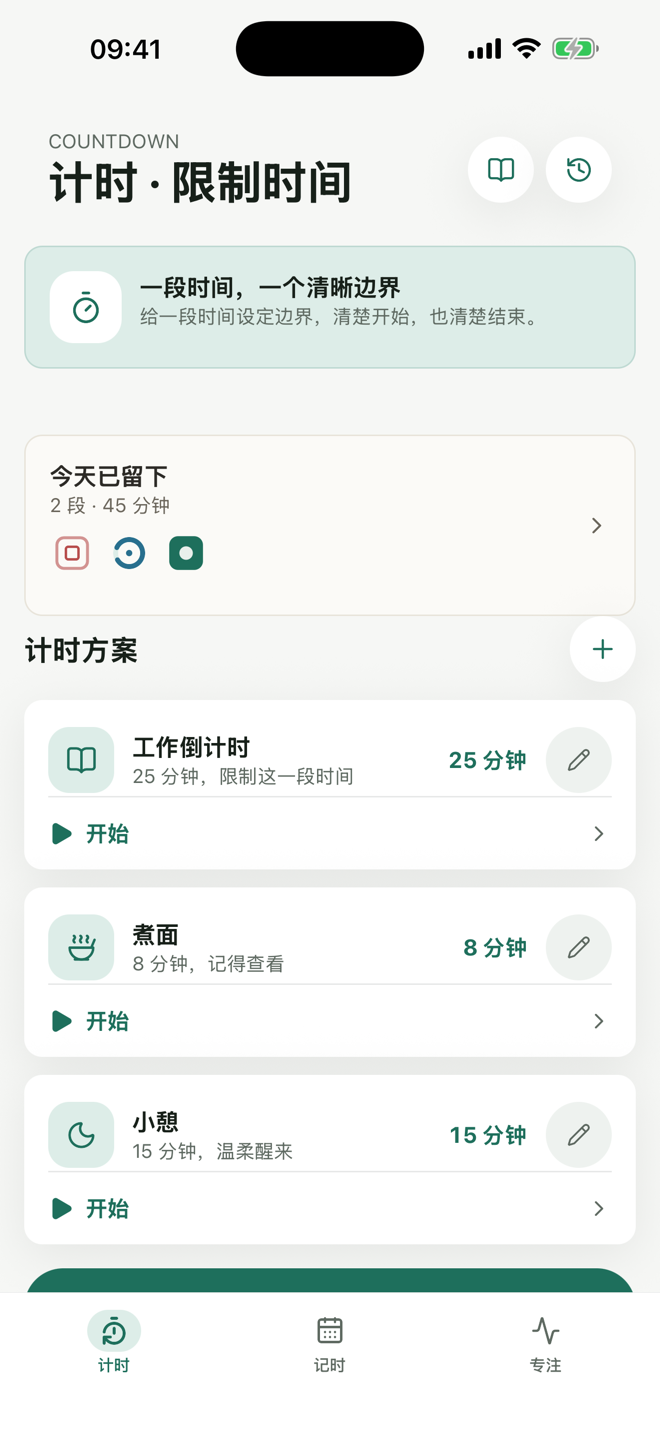
计时:给一段时间设定清晰的边界,可以从方案开始,也可以新建自定义时长Countdown: set a clear boundary, start from a plan, or build a custom duration
Z2Y 记时
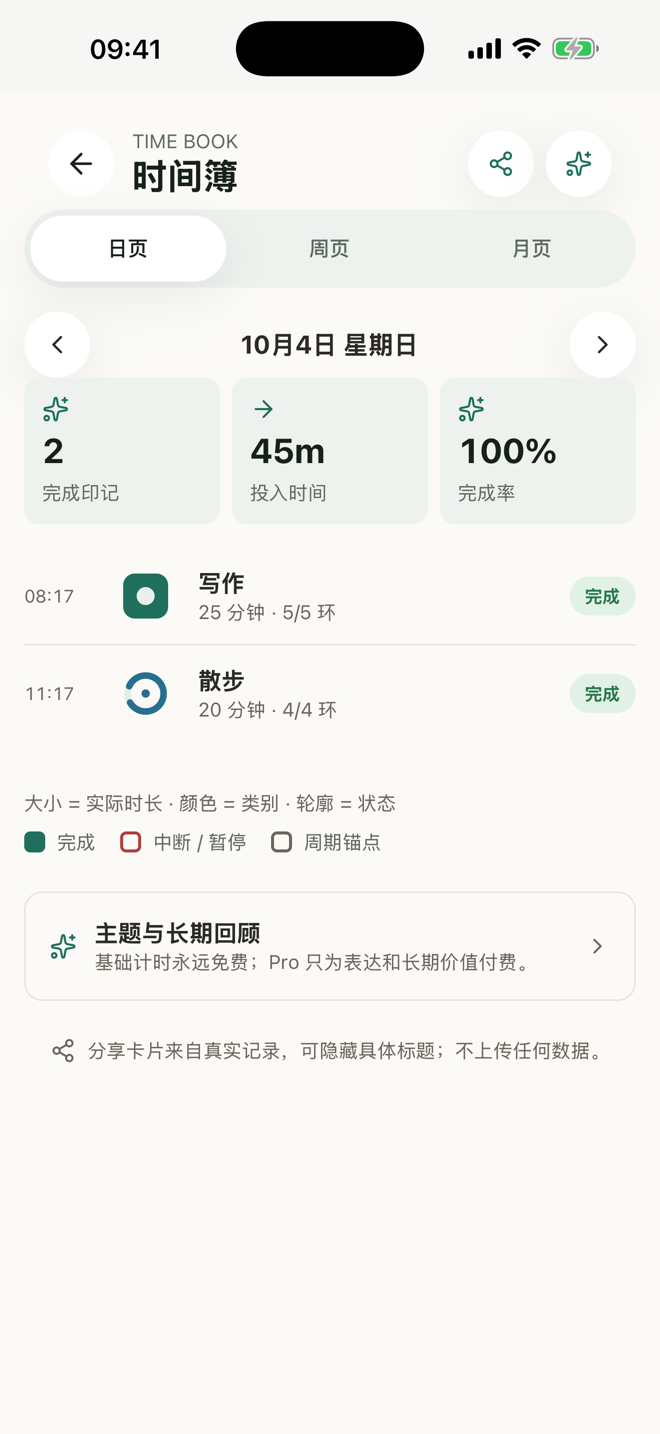
时间簿日页:完成印记、投入时间与完成率,按天回看节奏Time book day page: completed marks, time invested, and completion rate
Z2Y 记时
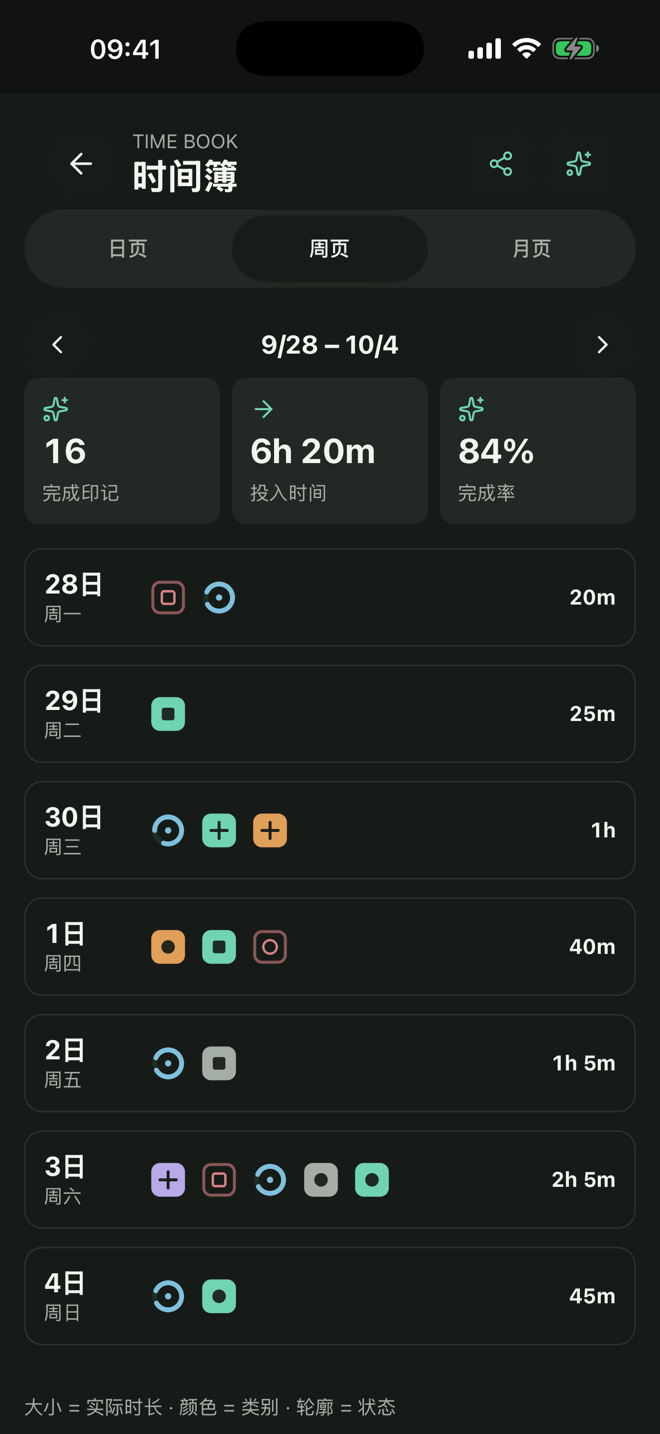
时间簿周页(深色):一周的印记落在同一条节奏上Time book week page in dark mode: a week of marks on one rhythm
Z2Y 记时
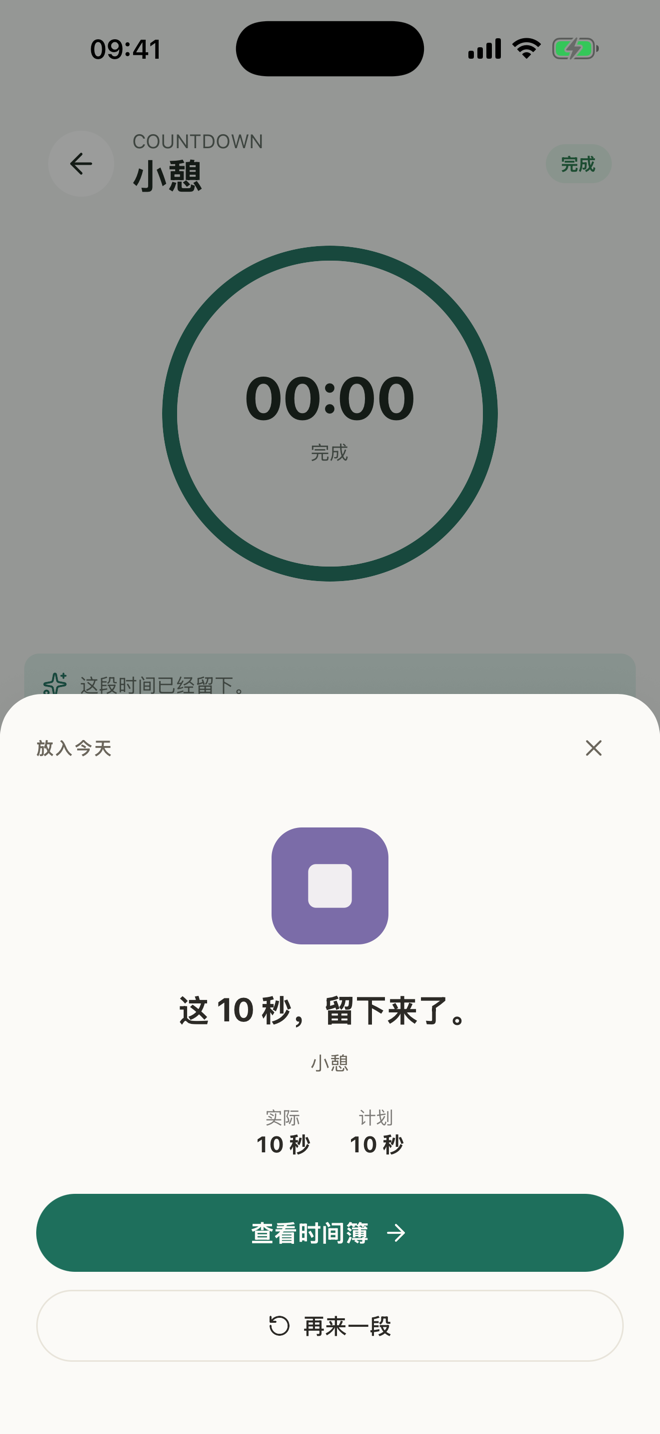
完成反馈:实际与计划时长对照,并把这段放进今天Completion moment: actual versus planned duration, placed into today

ABOUT / 01

核心能力What it does

Z2Y 记时围绕三个板块组织时间:计时给一段时长设定清晰的边界,明确开始,也明确结束;记时按天、工作日、每周、每月或每年记住周期事务,并用公历或农历记下纪念日,只在下一次发生前出现;专注把总时长拆成一圈圈,用轻提醒维持节奏。完成后会留下一枚印记:大小表示实际时长,颜色表示类别,轮廓表示状态。印记落进时间簿,日页与周页随时可以回看;月页与年度汇总同样免费。应用不需要注册账号,没有云端与广告,方案、记录与印记都保存在设备上,计时状态离开应用也会继续。

Z2Y Remember Timer organises time around three sections. Countdown gives a stretch of time a clear boundary — a clear start and a clear end. Remember keeps recurring commitments (daily, weekdays, weekly, monthly, yearly) and anniversaries on the Gregorian or lunar calendar, showing them only before the next occurrence. Focus splits a total duration into rings with gentle cues that keep the rhythm. Every finished session leaves a mark: size is the real duration, colour is the category, and outline is the status. Marks fall into the time book, where day and week pages are always available and the month page plus yearly review are included. No account, no cloud, no ads: plans, records, and marks stay on your device, and a running timer continues after you leave the app.

  • 计时、记时、专注三个板块,分别对应现在、周期与过程Three sections for the present, the recurring, and the process: countdown, remember, and focus
  • 记时支持每天、工作日、周末、每周、每月、每年,以及公历与农历纪念日Repeat daily, on weekdays, weekends, weekly, monthly, or yearly, with Gregorian and lunar anniversaries
  • 完成后留下一枚印记,时间簿按日、周、月回看真实投入Every finished session leaves a mark in the day, week, and month time book
  • 本地优先:没有账号、没有云端、没有广告Local-first: no account, no cloud, no ads

SETUP / 02

使用说明How to use it

  1. 01 从 App Store 安装 Z2Y 记时并打开,无需注册或登录。Install Z2Y Remember Timer from the App Store and open it; no sign-up or login is required.
  2. 02 底部固定三个板块:计时用于给一段时长设边界,记时用于周期事务与纪念日,专注用于把总时长拆成提醒环。Three sections sit in the bottom bar: countdown for a bounded stretch of time, remember for recurring commitments and anniversaries, and focus for splitting a total duration into rings.
  3. 03 在计时板块点方案的「开始」,或用「新建自定义计时」设置时、分、秒;运行中可以暂停、继续或结束。In countdown, tap Start on a plan or create a custom countdown with hours, minutes, and seconds; pause, resume, or end it while it runs.
  4. 04 在计时段点「…」或铅笔图标编辑方案:改名称、图标、时长与完成提示,不需要的方案可以直接删除。In countdown, edit a plan to change its name, icon, duration, and completion cue, and delete the ones you no longer need.
  5. 05 在记时板块点「+」新建记时:填写名称、24 小时制时间与重复周期(每天、工作日、周末、每周、每月、每年),或建立公历 / 农历纪念日。In remember, tap + to add an entry: name, 24-hour time, and a repeat rule (daily, weekdays, weekends, weekly, monthly, yearly), or an anniversary on the Gregorian or lunar calendar.
  6. 06 每条记时会显示距离下一次的倒计时,并可以用开关单独暂停或恢复提醒;长按条目的「…」可以编辑或删除。Each entry shows a countdown to its next occurrence and has its own reminder switch; open its menu to edit or delete it.
  7. 07 在专注板块选择或定制专注节奏(总时长加每环时长),运行中每完成一环会有一次轻提醒,结束后保留本次完成情况。In focus, pick or build a focus rhythm (total duration plus ring length). Each finished ring gives one gentle cue, and the session result is kept when you stop.
  8. 08 完成后打开时间簿:日页、周页与月页都能回看节奏与累积,可以导出分享卡片。After finishing, open the time book: day, week, and month pages show your rhythm and totals, and share cards can be exported.
  9. 09 在设置中管理通知、声音与振动、外观与印记主题,并在「数据与隐私」中导出 JSON / CSV、导入旧版数据或查看隐私说明。In settings, manage notifications, sound and haptics, appearance and mark themes, then use Data & privacy to export JSON / CSV, import legacy data, or review the privacy note.

FAQ / 03

常见问题FAQ

需要注册账号吗?Do I need an account?
不需要。安装后即可使用全部计时功能,方案、记录与印记都保存在本机。No. Every timing feature is available right after install, and plans, records, and marks are stored on your device.
需要额外付费吗?Does anything cost extra?
不需要。计时、记时、专注三个板块,印记主题与纸张,日 / 周 / 月时间簿与年度长期回顾,以及分享卡片都对所有用户免费,应用内没有内购。No. Countdown, remember, and focus, every mark theme and paper, the day / week / month time book with the yearly review, and share cards are all free, with no in-app purchases.
拒绝通知权限会怎样?What happens if I deny notifications?
计时与时间簿仍然可以正常使用。完成提醒和记时提醒不会在后台出现,但记时仍会保留并显示下一次发生时间,随时可以在系统设置中重新开启。The timer and time book keep working. Completion and reminder alerts will not appear in the background, but each entry still keeps and shows its next occurrence time, and you can enable notifications again in system settings.
数据会被上传吗?Is my data uploaded?
不会。应用没有账号体系,也不连接云端;方案、记录、印记与偏好只保存在设备上。可在设置中导出 JSON / CSV 备份,或从旧版数据导入。No. There is no account system and no cloud service; plans, records, marks, and preferences stay on your device. You can export JSON / CSV backups or import data from the legacy version in settings.
删除 App 会怎样?What happens if I delete the app?
删除 App 会同时移除保存在设备上的方案、记录与印记,且无法恢复。删除前请先在设置中导出 JSON / CSV。Deleting the app also removes the plans, records, and marks stored on the device, and they cannot be restored. Export JSON / CSV from settings first if you want a copy.

CHANGELOG / 04

版本记录Release history

v2.0.02026.10.10

App Store 发布 2.0.0:优化计时、记时与专注三个板块的交互体验,支持删除计划与纪念日,并改进返回与滑动切换。2.0.0 on the App Store: refined the countdown, remember, and focus sections, added deletion for plans and anniversaries, and improved back navigation and swipe switching.