FormSet 形集 Support FormSet Support
FormSet 形集 · Support / 使用与支持
FormSet 形集 is a local-first bilingual gym companion for iPhone and iPad. It ships with a built-in exercise catalog, workout logging, rest timers, and on-device history, and it needs no account.
FormSet 形集是一款面向 iPhone 与 iPad 的本地优先双语健身训练伴侣,内置动作目录、训练记录、休息计时与本机历史,无需注册账号。
Getting started / 快速开始
- Install FormSet from the App Store and open it. No sign-up or login is required.
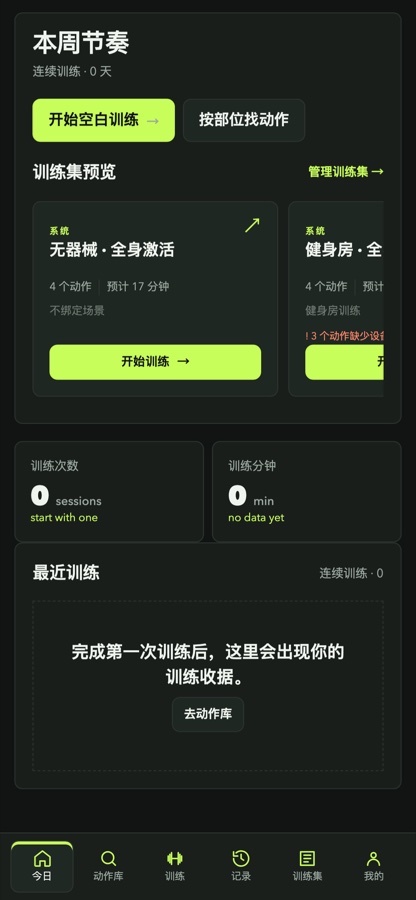
- On Today / 今日, choose how to start: continue a workout, start blank, start by body part, start by equipment, or open a plan.
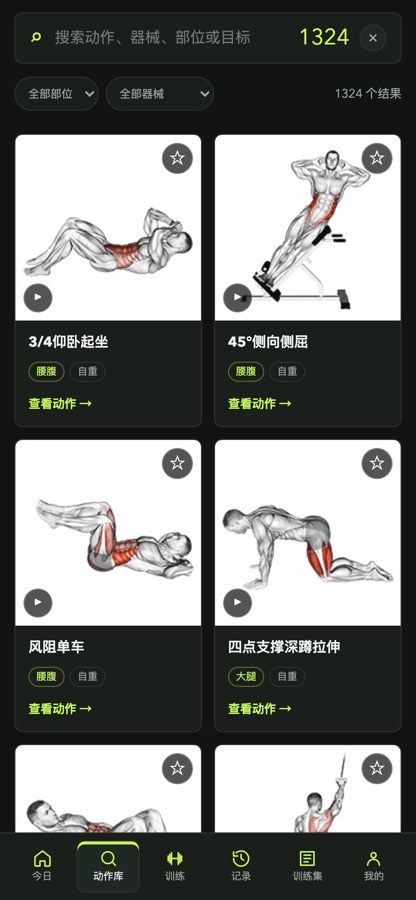
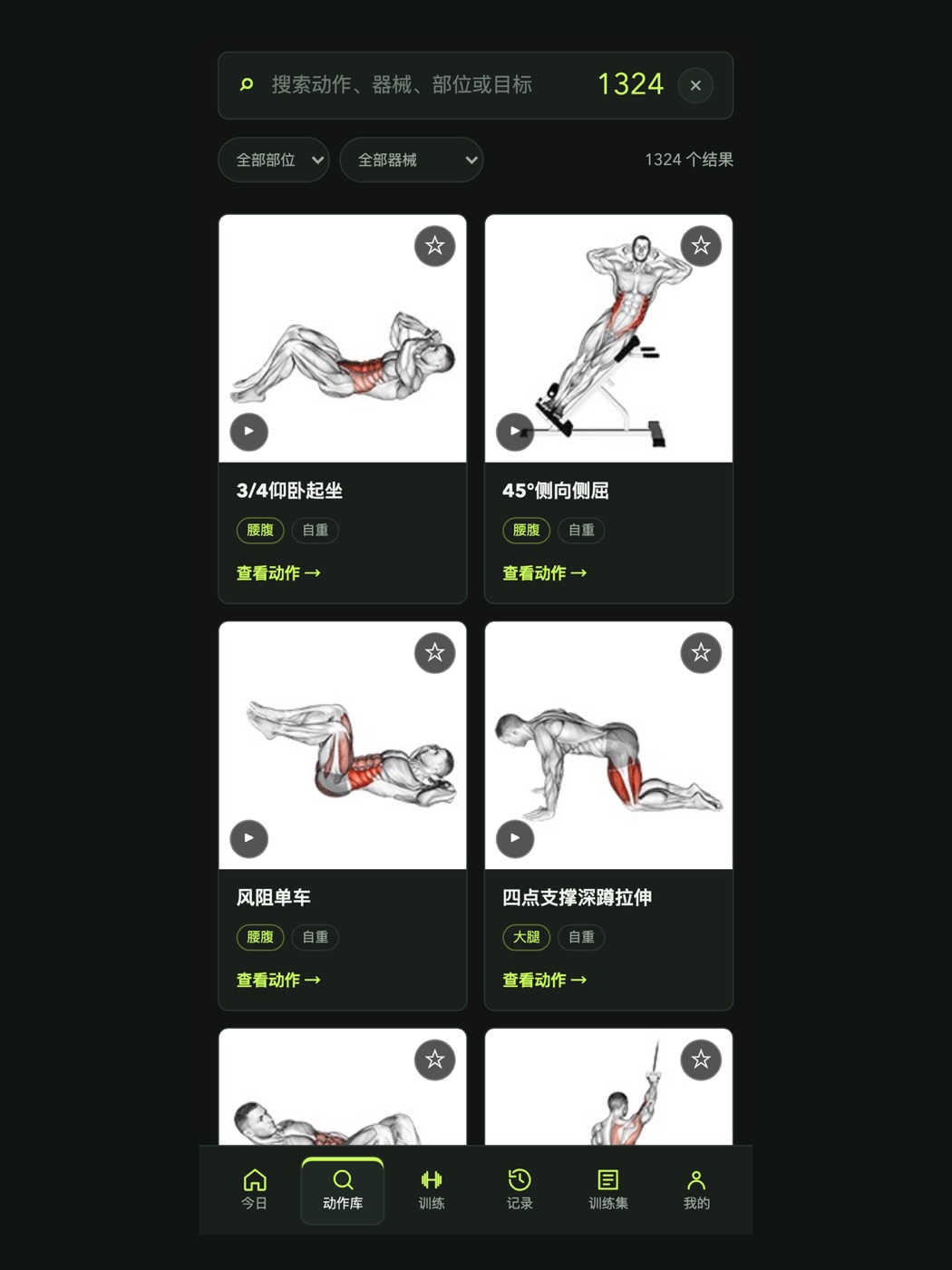
- In Explore / 动作库, filter by keyword, body part, or equipment, then open an exercise to see its demo, steps, target muscles, and safety notes.
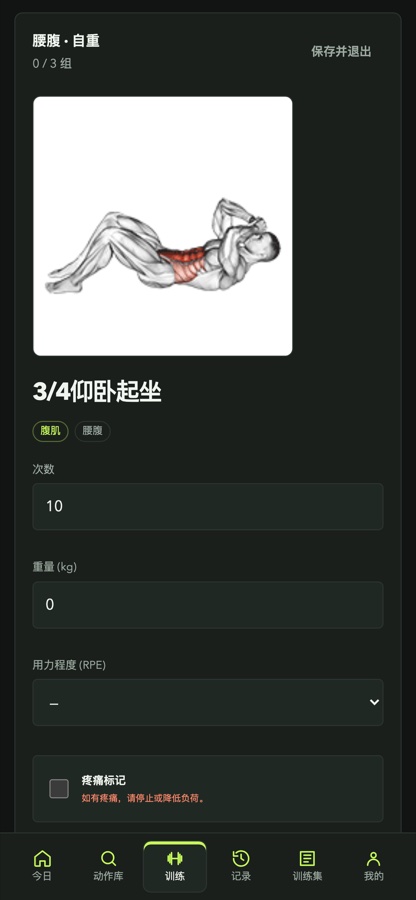
- In Workout / 训练, adjust order, sets, and targets, then enter reps, weight, or time for each set. Finishing a set starts the rest timer.
- In History / 记录, review each session on the calendar and open a single exercise for its history and trends.
-
In Profile / 我的, set language and weight unit, manage notifications and optional analytics, and export or delete your data.
- 从 App Store 安装 FormSet 形集并打开,无需注册或登录。
- 在 今日 页选择开始方式:继续训练、空白训练、按部位开始、按器械开始,或直接打开一个训练集。
- 在 动作库 用关键词、目标部位或器械筛选动作,打开详情查看示范、步骤、目标肌群与安全提示。
- 在 训练 页调整动作顺序、组数与目标,输入每组的次数、重量或时长;完成一组后自动进入休息倒计时。
- 在 记录 页按日历回看每一次训练,并查看单个动作的历史与趋势。
- 在 我的 中设置语言与重量单位、管理通知与可选分析,并导出或删除数据。
Screenshots / 界面预览
Contact / 联系支持
For help, email petterobam@gmail.com. Please include your device model, iOS version, FormSet version, the exact steps you took, and the full error message.
如需帮助,请发送邮件至 petterobam@gmail.com。请在邮件中注明设备型号、iOS 版本、FormSet 版本、操作步骤和完整错误信息。
Do not include passwords, payment details, or other sensitive information.
请勿提交密码、支付信息或其他敏感信息。
Before reporting an issue / 提交问题前
Please provide:
- Device model and iOS version.
- FormSet version (shown on Profile / 我的).
- The exact steps that led to the problem.
- Whether the app was online or offline at the time.
- A screenshot or the full error message.
请提供以下信息:
- 设备型号与 iOS 版本。
- FormSet 版本(见 我的 页)。
- 复现问题时的具体操作步骤。
- 当时是联网还是离线状态。
- 问题截图或完整错误信息。
Troubleshooting / 常见问题
My data disappeared / 训练记录不见了
Workout records are stored on this device. Deleting the app, clearing its storage, or using Delete local records removes them permanently. Use Export JSON / CSV first if you want a copy.
训练记录保存在本机。删除 App、清除其存储,或使用 删除本机记录 都会永久移除数据。如需保留,请先 导出 JSON / CSV。
The screen looks wrong / 界面显示异常
Try switching the theme in Profile / 我的, then fully close and reopen the app. If text is clipped, check your system text size. Report the device model and a screenshot if it persists.
请在 我的 中切换一次主题,然后完全关闭并重新打开 App。如果文字被裁切,请检查系统文字大小;若问题仍在,请附上设备型号与截图。
Rest timer or notifications / 休息计时或通知
Rest timers run inside the app. If you allowed notifications, a rest-complete alert can also appear outside the app. Denying notifications does not block the workout flow.
休息计时在 App 内运行。若你允许通知,休息结束时也可以在 App 外收到提醒;拒绝通知不会影响训练流程。
I cannot find an exercise / 找不到动作
Try one filter at a time, then add a keyword. The catalog is bundled and works offline, so a missing result usually means the filter combination is too narrow rather than a connection problem.
请一次只用一个筛选条件,再逐步加关键词。动作目录已随 App 内置并支持离线,没有结果通常是筛选条件过窄,而非网络问题。
Health and safety / 健康与安全
FormSet is a personal workout logging and exercise-reference tool. It is not a medical device and does not provide diagnosis or treatment. If you feel pain, stop and consult a qualified professional.
FormSet 是个人训练记录与动作参考工具,不是医疗器械,不提供诊断或治疗。如出现疼痛,请立即停止并咨询专业人士。
Response time / 响应时间
Support requests are normally reviewed within three business days.
支持请求通常会在三个工作日内处理。