Z2Y DMG Plus
返回应用目录Back to all apps

macOS · 已发布Released

Z2Y DMG PlusZ2Y DMG Plus

把 App 打包成可分发 DMGPackage apps into distributable DMGs

面向 macOS 开发者的原生 DMG 发布工具:一键安装与经典拖拽两种布局,构建前后都能看清签名、产物与历史。A native macOS release tool that turns an app into a distributable DMG, with one-click and classic layouts plus signature, artifact, and build history you can inspect.

当前版本Current version v1.0.5 App Store 当前版本Current App Store version
最近更新Last updated 2026.08.09 首次发布First released · 2025.06
平台Platform macOS macOS 14.0 或更高版本macOS 14.0 or later
价格Price ¥8.00$0.99 已发布Released

SCREENS / 01

界面预览Screenshots

Z2Y DMG Plus
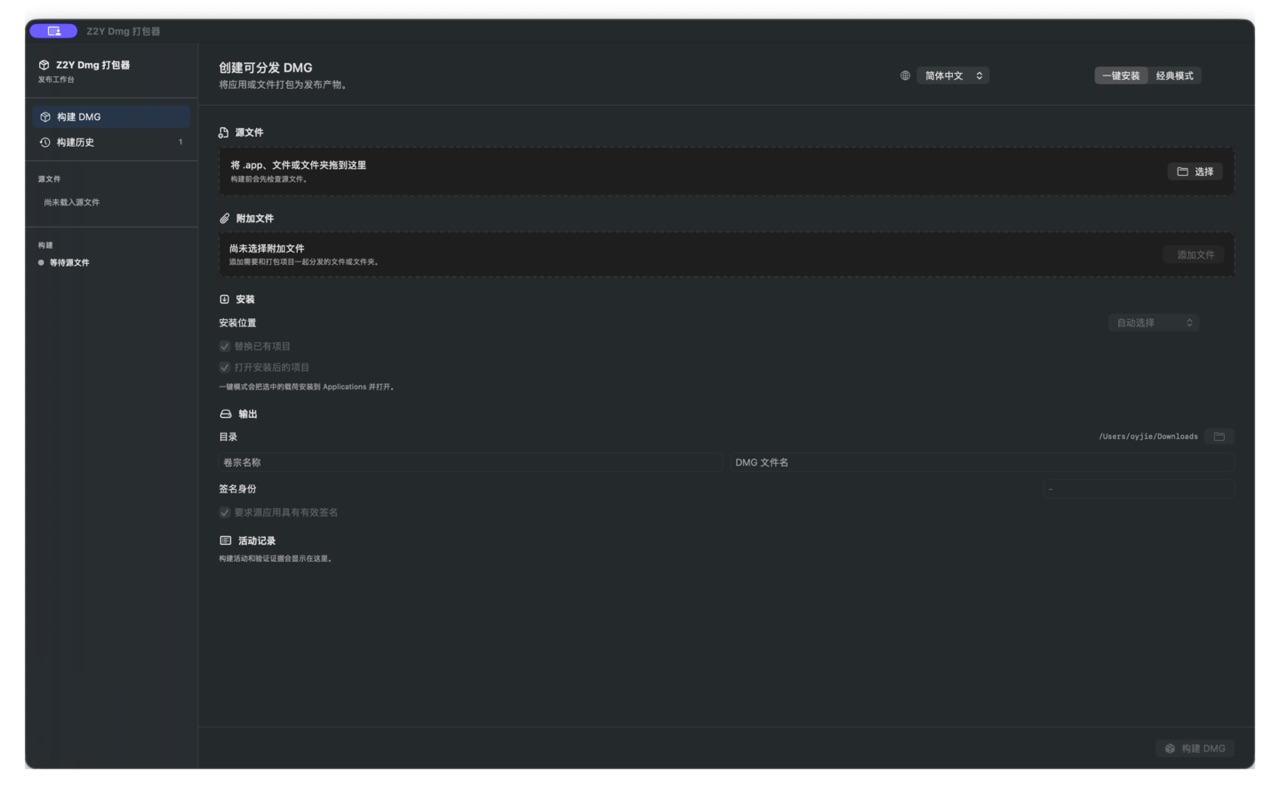
新建构建:拖入源 App,选择一键安装或经典模式New build: drop in the source app and choose the one-click or classic layout
Z2Y DMG Plus
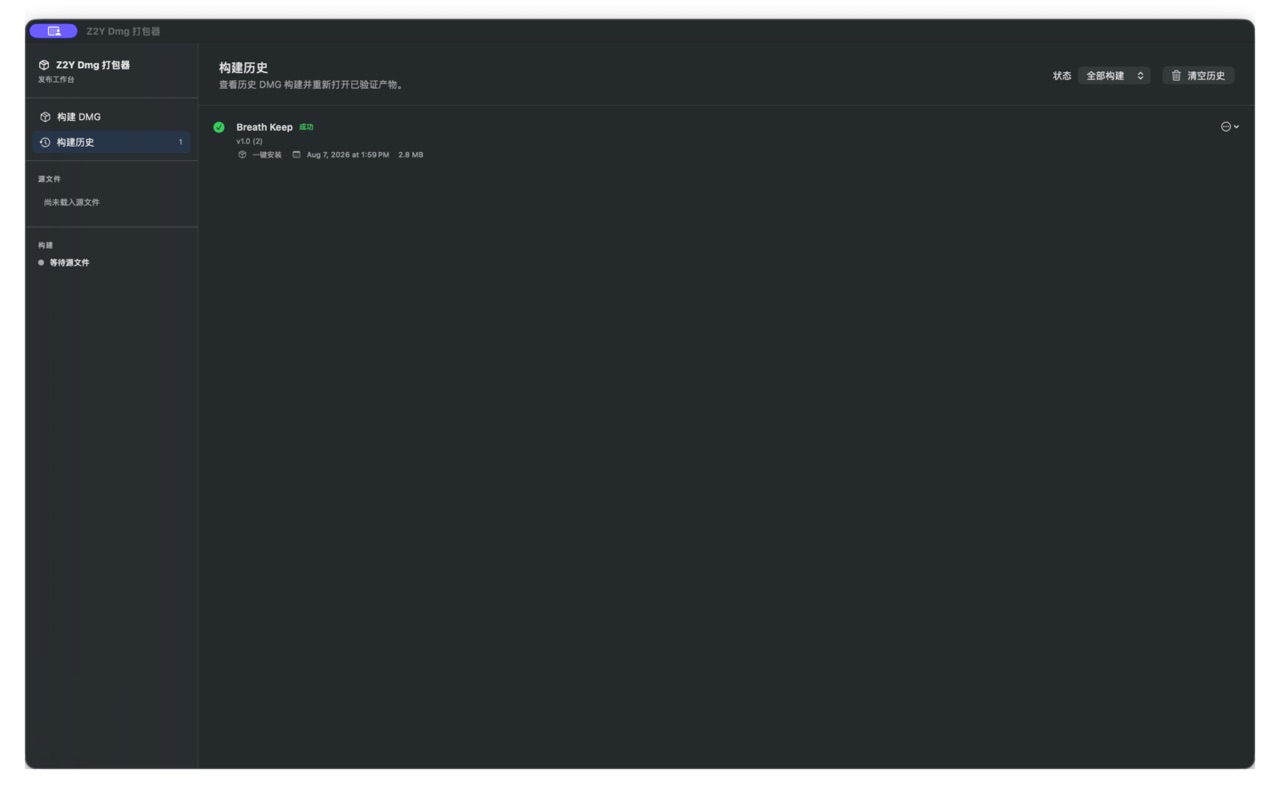
构建历史:每次打包的版本、模式、时间与体积,已验证产物可以重新打开Build history: version, mode, time, and size for every build, with verified artifacts you can reopen
Z2Y DMG Plus
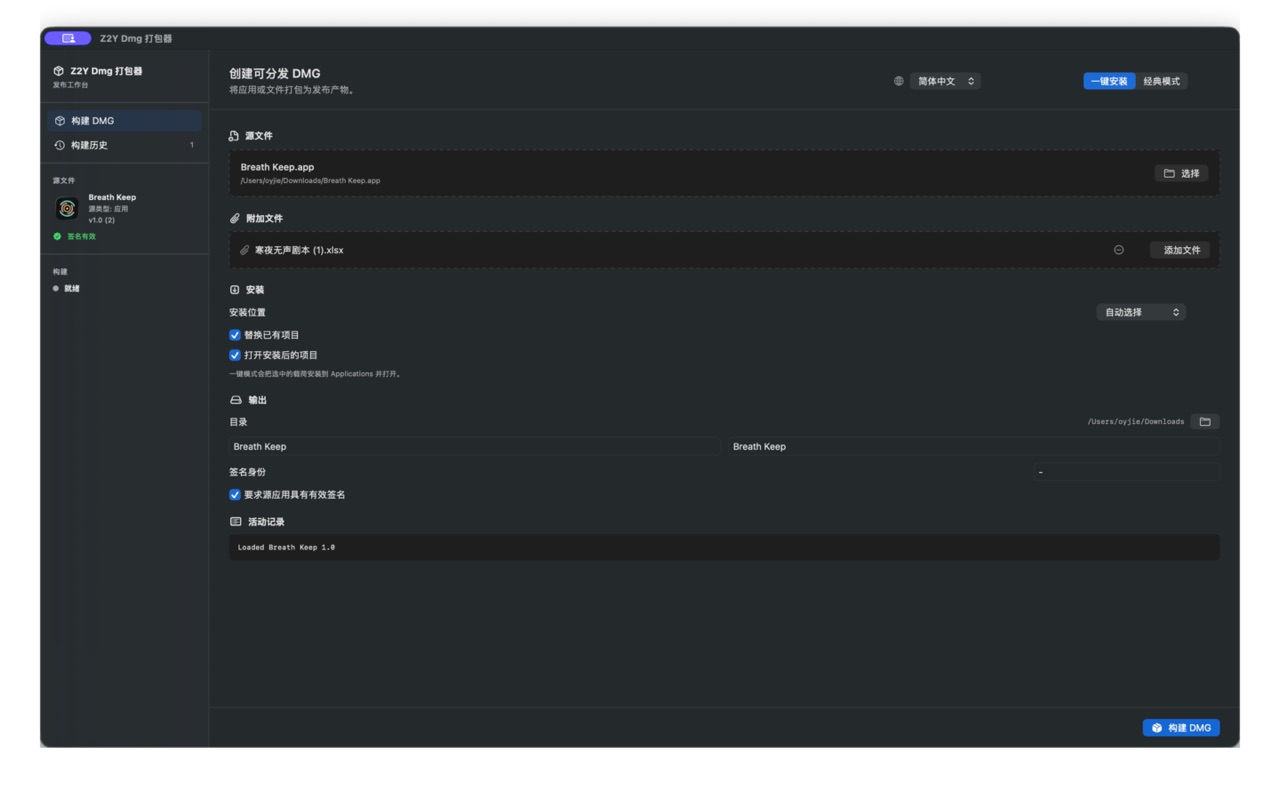
打包前核对:源 App 签名、附加文件与构建活动记录Before the build: source signature, attachments, and the activity log

ABOUT / 01

核心能力What it does

Z2Y DMG Plus 把 App、文件或文件夹打包成可分发的 DMG。选择源内容后,可以输出一键安装布局——用户打开 DMG 里的安装器即完成安装并启动,也可以输出经典拖拽布局。构建前先检查源 App 的签名与输出位置,构建后给出产物校验结果;每次打包都会写进「构建历史」,随时可以回看配置、结果与产物体积。说明文档等文件还可以附加到 DMG 根目录一起分发,界面支持中英文切换,全部处理都在本机完成。

Z2Y DMG Plus packages an app, file, or folder into a distributable DMG. After choosing the source you can output a one-click installer layout — the customer opens one app in the DMG and it installs and launches — or the classic drag-to-Applications layout. The build checks the source signature and destination first and reports the artifact verification afterwards; every build is written to Build history so you can revisit its configuration, result, and artifact size. Extra documents can be attached at the DMG root, the interface switches between Chinese and English, and everything runs on your Mac.

  • 一键安装:用户打开 DMG 中的安装器即完成安装并自动启动One-click install: open the installer in the DMG and the app installs and launches
  • 经典拖拽布局:保留把 App 拖进「应用程序」的既有流程Classic layout: keep the familiar drag-to-Applications workflow
  • 支持 App、文件和文件夹打包,并可把文档附加到 DMG 根目录Package apps, files, and folders, and attach documents at the DMG root
  • 构建历史:回看每次构建的配置、结果与产物体积Build history: revisit each build's configuration, result, and artifact size
  • 构建前核对源 App 签名与输出位置,构建后给出产物校验结果Check the source signature and destination before the build, and verify the artifact afterwards
  • 中英文界面切换,配置与构建记录保存在本机Switch between Chinese and English; configuration and build records stay on your Mac

SETUP / 02

使用说明How to use it

  1. 01 在 Mac App Store 安装并打开 Z2Y DMG Plus(¥8.00)。Install Z2Y DMG Plus from the Mac App Store ($0.99) and open it.
  2. 02 选择源内容:App、文件或文件夹;需要一起分发的文档放进「附加文件」。Choose the source item — an app, file, or folder — and add any documents to ship alongside it under Attachments.
  3. 03 选择一键安装或经典模式,确认安装位置与输出目录。Pick the one-click installer or the classic layout, then confirm the install destination and output folder.
  4. 04 开始构建:在「活动记录」里跟随签名检查与构建过程,成功后打开已校验的 DMG。Start the build, follow the signature check and progress in the activity log, and open the verified DMG when it succeeds.
  5. 05 构建记录会留在「构建历史」,可以随时重新打开已校验的产物。Every build stays in Build history, where you can reopen a verified artifact later.

FAQ / 03

常见问题FAQ

打包后的 App 无法打开怎么办?What if the packaged app will not open?
先确认原始 App 可以启动且签名有效。Z2Y DMG Plus 会保留源内容,但不会修复无效签名。Verify that the original app launches and has a valid signature. Z2Y DMG Plus preserves source content but does not repair invalid signatures.
构建历史保存在哪里?Where is the build history stored?
保存在本机的 ~/Library/Application Support/Z2Y DMG Plus/BuildHistory.json。记录只保留产物路径,移动 DMG 后请从新位置打开;清空历史会永久删除这些记录。On your Mac, at ~/Library/Application Support/Z2Y DMG Plus/BuildHistory.json. A record keeps the artifact path only, so open the DMG from its new location after moving it; clearing history deletes the records permanently.
会把我打包的 App 或证书上传到服务器吗?Does it upload my app or signing identities?
不会。打包全程在本机完成,源 App、签名身份与构建记录都不会离开这台 Mac。No. Packaging happens entirely on your Mac; the source app, signing identities, and build records never leave it.
App Store 版本和 GitHub 上的版本是什么关系?How do the App Store version and the GitHub build relate?
App Store 上的 1.0.5 是重构后的 Z2Y DMG Plus,支持一键安装、构建历史与 DMG 根目录附加内容;GitHub 仓库仍保留早先开源的 1.0.4 与完整源码。The 1.0.5 build on the App Store is the rewritten Z2Y DMG Plus with the one-click installer, build history, and DMG root attachments; the GitHub repository still hosts the earlier open-source 1.0.4 and its source.

CHANGELOG / 04

版本记录Release history

v1.0.52026.08.09

新增构建历史管理,并支持在 DMG 根目录附加文件和文件夹;安装后的应用名称已统一为“Z2Y Dmg 打包器”,同时改进构建验证与活动记录。Added build history management and support for attaching files and folders at the DMG root. The installed app is now named Z2Y Dmg 打包器 to match App Store Connect, with improved build verification and activity records.

v1.0.42025.06.17

上传 Mac App Store 版本并微调界面。Uploaded the Mac App Store version and refined the interface.